
Description
Product Overview
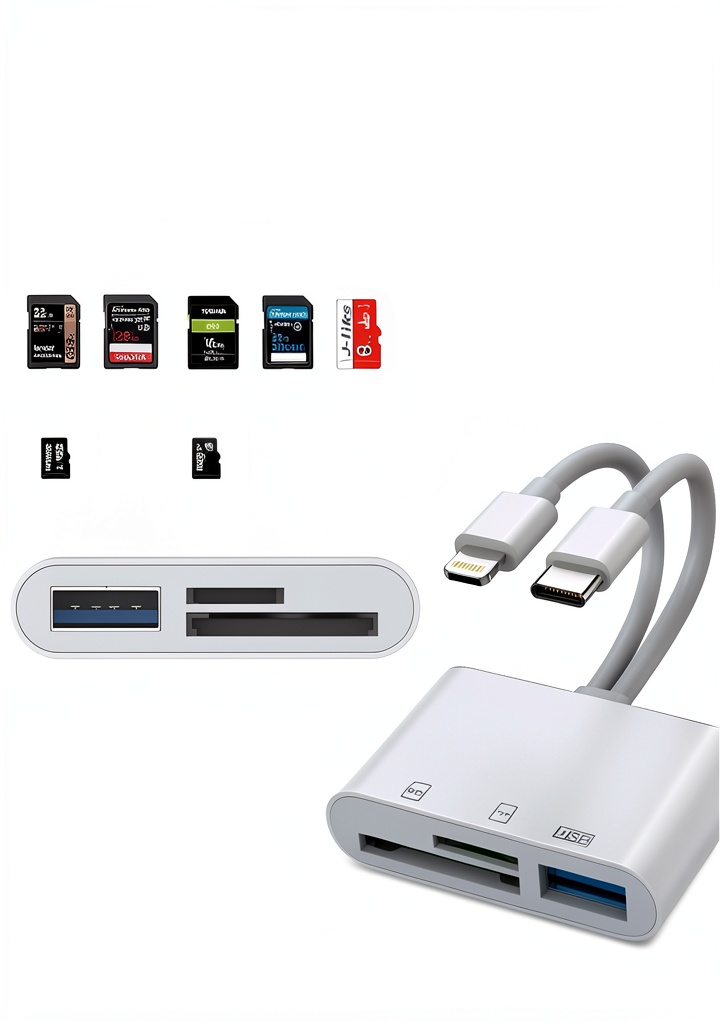
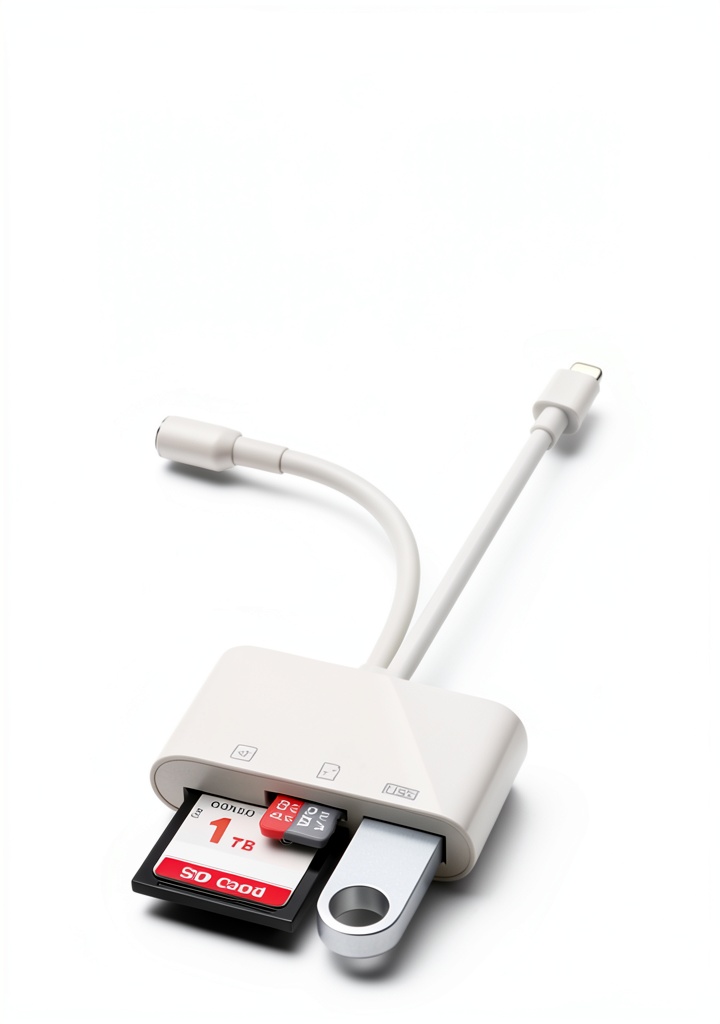
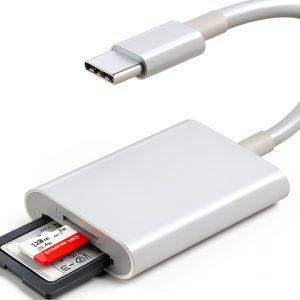
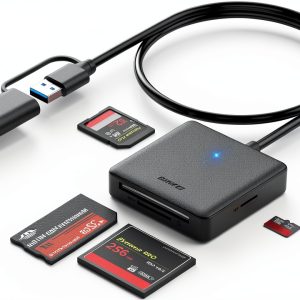
The CULGC USB‑C Lightning card reader is engineered to bridge the gap between professional photography equipment and modern mobile devices. Featuring a compact white chassis that measures just 1.96 × 0.47 × 5.11 inches and weighing only 1.06 ounces, the reader is lightweight enough to travel in any pocket or camera bag while still delivering robust performance. Its dual‑card slots accept both standard SD/SDHC cards and micro‑SD (TF) cards, and an additional USB‑C port allows direct connection of USB flash drives, game controllers, headphones, or even electric guitars, turning a single device into a versatile hub for all your data needs.
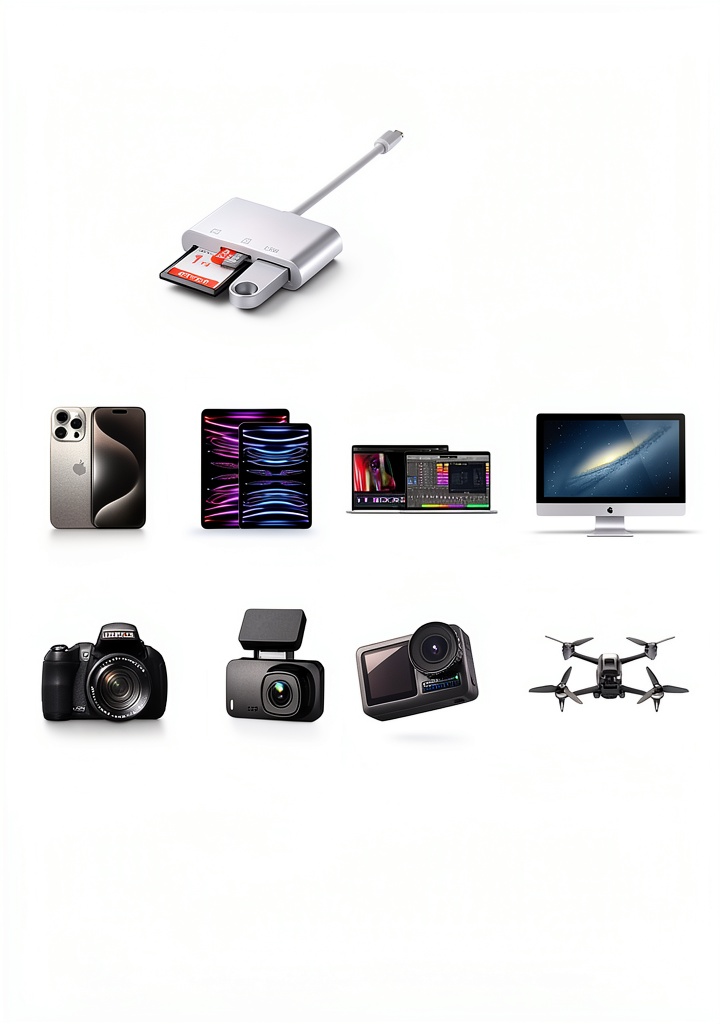
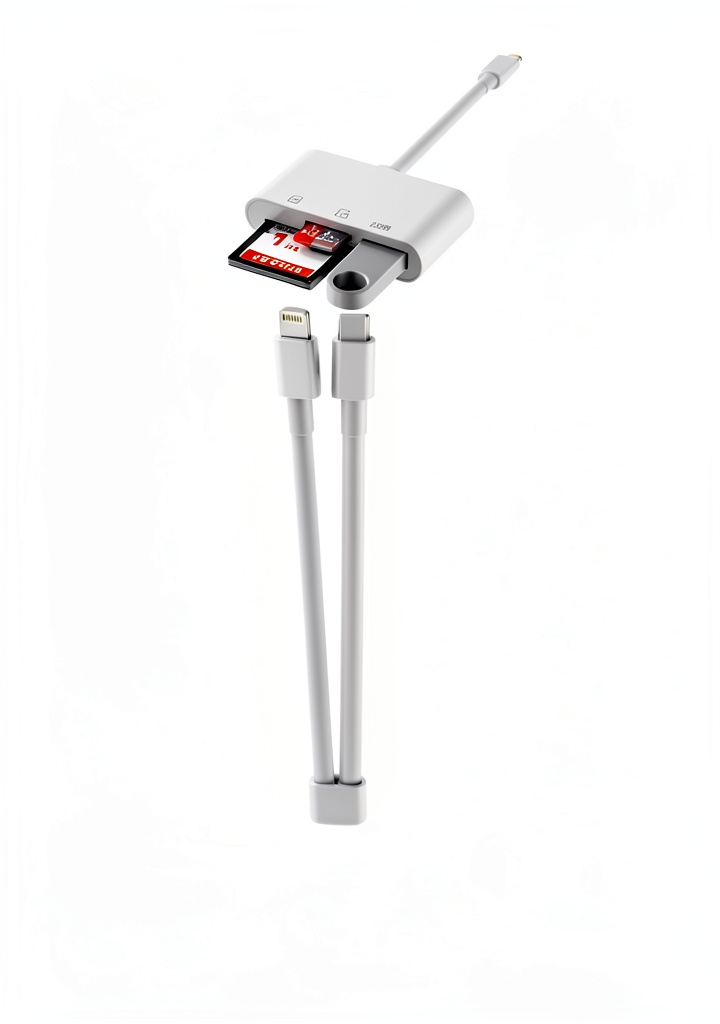
High‑speed data transfer is at the core of this accessory. Supporting up to 5 Gbps, the reader can read and write to two memory cards and a USB flash drive simultaneously, dramatically reducing the time required to move large photo or video libraries. The built‑in Lightning connector ensures seamless compatibility with iPhone, iPad Pro, iPad Air, iPad mini, and other iOS devices, while the USB‑C interface works flawlessly with MacBook, Mac mini, Windows PCs, and Linux machines. No external power source or driver installation is required; simply plug the device into a compatible port and start transferring.
Designed for two‑way transfer, the reader lets you import media from SD or TF cards to an iPhone or iPad, and export files from your iOS device back to the memory cards or a USB flash drive. This bidirectional capability covers a wide range of file types, including photos, videos, music, documents, and even app data, making it an indispensable tool for photographers, content creators, and everyday users who need to share files across platforms quickly and reliably.
Compatibility extends beyond iOS. The reader works with Android smartphones and tablets, Chrome OS laptops, and all major desktop operating systems, including Windows 10/8.1/8/7/XP and macOS. Its plug‑and‑play nature means you can use it on any device that supports USB‑C or Lightning without worrying about additional software, firmware updates, or power adapters.
The reader’s physical dimensions of 1.96 × 0.47 × 5.11 inches and a weight of just 1.06 ounces make it one of the most portable solutions on the market. Its sleek white finish not only looks modern but also resists fingerprints and smudges, ensuring a clean appearance even after frequent handling. The device is constructed with a reinforced ABS housing that meets RoHS standards, providing durability while remaining lightweight. The compact form factor allows it to be stored in a laptop sleeve, camera bag, or even a pocket without adding bulk.
Technical specifications confirm the reader’s high performance. It supports SD, SDHC, SDXC, and micro‑SD (TF) cards up to 2 TB, and USB‑C flash drives up to 4 TB. The device complies with USB 3.2 Gen 1 standards, delivering up to 5 Gbps throughput. It operates across a voltage range of 5 V to 12 V, drawing power directly from the host, and features a built‑in over‑current protection circuit to safeguard connected devices.
Security and data integrity are built into the design. The gold‑plated contacts reduce signal loss and resist corrosion, ensuring reliable reads and writes even after extensive use. The reader’s firmware includes error‑checking algorithms that verify each transferred file, minimizing the risk of corrupted data. For users handling sensitive media, the device can be paired with encrypted storage solutions, providing an extra layer of protection without compromising speed.
Customer feedback highlights the reader’s reliability and speed. With an average rating of 4.5 stars from over 1,300 reviews, users praise its ease of use, sturdy construction, and the ability to transfer large media files without errors. Many reviewers note that the device’s plug‑and‑play functionality works flawlessly across a range of devices, from the latest iPhone models to older Windows laptops, reinforcing its reputation as a versatile accessory.
![[Product front view showing all components]](https://www.greatdomains.store/wp-content/uploads/2026/06/fa35e5aa7f7f46639527bba8fc2a49f3.jpg)
Usage
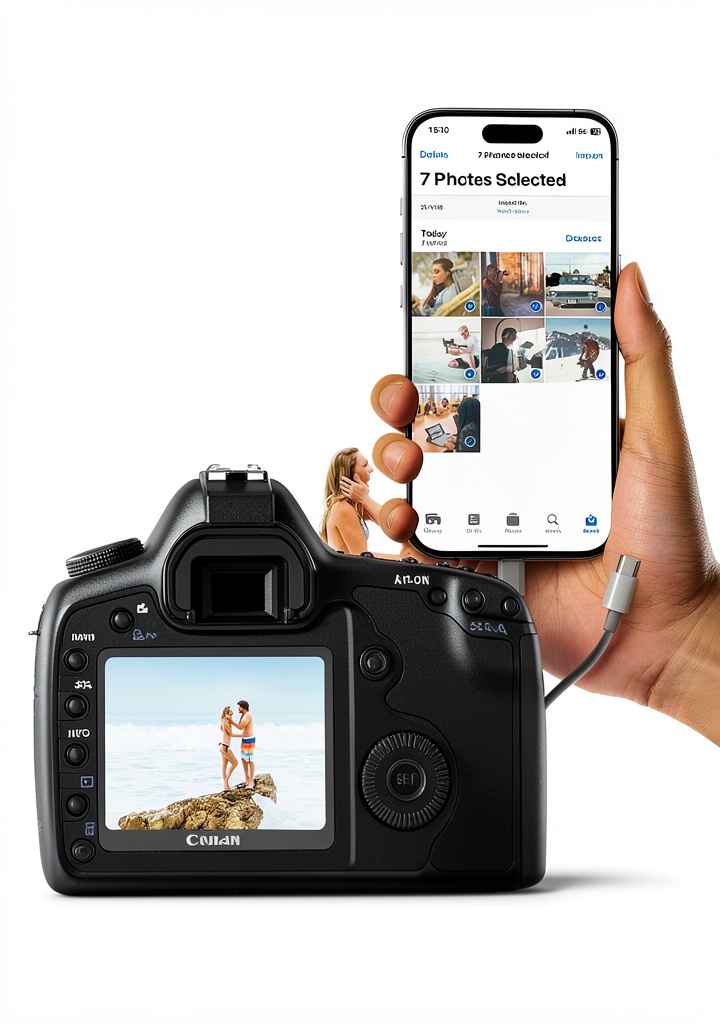
Imagine you are on a photo shoot in a remote location. After capturing high‑resolution images on a DSLR, you can quickly slide the SD card into the CULGC reader, connect it to your iPhone via the Lightning port, and instantly back up the files to your mobile device for immediate editing or sharing on social media. The fast 5 Gbps transfer rate ensures that even large RAW files move in seconds, preserving your workflow momentum.
For travelers, the reader becomes a compact data hub. While on a train or airplane, you can plug a USB flash drive into the USB‑C port, connect the Lightning side to your iPad, and stream movies or music without needing a separate adapter. The device also supports connecting a USB‑C external SSD for additional storage, allowing you to keep a full library of media at hand without sacrificing space on your primary device.
In a professional studio, the reader can serve as a bridge between multiple devices. Connect a MacBook Pro via USB‑C, insert a TF card from a drone camera, and transfer aerial footage directly to your editing workstation. The same setup can be used to move finished video files back onto a USB flash drive for client delivery, all without swapping cables or powering additional hubs.
In a corporate setting, the reader simplifies data exchange between team members. A project manager can copy a presentation from a USB‑C flash drive onto an iPad for on‑the‑go review, then transfer feedback files back onto a micro‑SD card for archival. Because the device works with Windows and macOS without drivers, employees can share files across operating systems without compatibility concerns, streamlining collaboration and reducing IT overhead.
Educators can leverage the reader to collect assignments from students’ tablets or laptops. By inserting a micro‑SD card containing a class project into the reader, teachers can quickly transfer the files to a classroom computer for grading, then return the edited documents to the students’ devices via the same card or a USB‑C flash drive. This eliminates the need for email exchanges and speeds up the feedback loop.
Gamers who use portable consoles or handheld PCs can benefit from the reader’s fast data handling. Transfer game saves, patches, or downloadable content from a USB‑C SSD to a console’s micro‑SD card in seconds, ensuring minimal downtime between gaming sessions. The plug‑and‑play nature means no additional adapters are required, keeping the gaming setup tidy and ready for travel.
Home users can use the reader to back up family photos from a camera’s SD card to a tablet for easy sharing with relatives. By connecting the reader to a smart TV via USB‑C (if supported), you can also display slideshows directly on the big screen, turning a simple memory card into a media library for gatherings. The fast transfer speed means that even large collections of high‑resolution images are ready to view in minutes.
Looking ahead, the reader’s USB‑C interface ensures compatibility with emerging devices and standards. As more laptops and smartphones adopt USB‑C as the primary port, users can rely on this accessory to remain functional for years. The modular design also allows CULGC to release firmware updates that add support for new file systems or security protocols, extending the product’s lifespan and protecting the investment.
Why Choose Us
Quality assurance is built into every CULGC product. The reader’s housing is made from high‑impact ABS plastic that resists scratches and drops, while the internal contacts are gold‑plated to maintain reliable conductivity over thousands of insertion cycles. Each unit undergoes rigorous testing for data integrity, ensuring that your files arrive uncorrupted and intact.
Our customer support team provides a 12‑month warranty and responsive after‑sales service. If you encounter any compatibility issues or have questions about optimal usage, our specialists are available via email or live chat to guide you through troubleshooting steps, firmware updates, or accessory recommendations.
Beyond durability, the reader’s design focuses on user convenience. The dual‑card slots are positioned for easy access, and the Lightning connector is reinforced to withstand frequent plugging and unplugging. The device draws power directly from the host device, eliminating the need for an external charger and keeping your travel bag light.
CULGC is committed to environmentally responsible manufacturing. The ABS plastic used in the reader is sourced from recycled materials, and the production process follows ISO 14001 environmental management guidelines. Packaging is minimal and made from recyclable cardboard, reducing waste and carbon footprint. By choosing this reader, customers support a brand that prioritizes sustainability alongside performance.
The CULGC reader is certified CE and FCC, confirming compliance with electromagnetic compatibility and safety standards in major markets. Each unit undergoes a 100‑hour burn‑in test to detect early failures, and the company maintains a detailed traceability record for every batch produced. Customers can register their product online to receive firmware notifications and access a knowledge base of troubleshooting guides.
After‑sales support includes a dedicated help desk reachable via phone, email, or live chat, with response times under 24 hours for most inquiries. The warranty covers any manufacturing defects, and CULGC offers a hassle‑free replacement policy where defective units are shipped at no cost to the customer. Additionally, the company provides a comprehensive online resource library with video tutorials, user manuals, and FAQs to help users maximize the reader’s capabilities.
Key Features
- Fast 5 Gbps transfer lets you move large photo and video files in seconds, keeping your workflow efficient.
- Dual SD/TF slots and a USB‑C port provide versatile connectivity for memory cards, flash drives, and accessories.
- Two‑way transfer supports importing to and exporting from iOS devices, covering photos, videos, music, and documents.
- Plug‑and‑play operation works across iOS, Android, Windows, macOS, Linux and Chrome OS without drivers.
- 12‑month warranty and dedicated support ensure peace of mind and reliable after‑sales assistance.
FAQ
Can I use the reader with an iPhone that does not have a Lightning port?
No. The Lightning connector on this reader is specifically designed for devices that use Apple’s proprietary Lightning interface. If you have an iPhone model that has transitioned to a USB‑C port, you would need a version of the reader that features a USB‑C connector instead. The current model will not fit a USB‑C iPhone, and attempting to use an adapter may result in unreliable connections or reduced data transfer speeds. For the best experience, match the connector type of the reader to the port on your iPhone or use a compatible adapter that maintains the Lightning standard.
Do I need to install any software to enable the two‑way transfer feature?
No additional software is required. The reader operates as a standard mass‑storage device, and iOS natively supports importing and exporting files through the Files app when the device is connected. When you plug the reader into an iPhone or iPad, the system automatically detects the attached storage and presents it as a drive in the Files interface. From there you can drag and drop photos, videos, music, PDFs, or any other supported file type to or from the device. The same plug‑and‑play behavior works on Android, Windows, macOS, and Linux, where the operating system mounts the reader without needing drivers.
Is the reader compatible with 4K video files?
Yes. The 5 Gbps transfer speed is sufficient for handling 4K video files, allowing you to move high‑resolution footage quickly between cards, USB drives, and your mobile device. In practice, a 30‑minute 4K video at 60 fps can be transferred in under a minute, depending on the source and destination media. The reader’s dual‑card slots also let you copy a 4K clip from an SD card to a USB‑C SSD for backup without needing to first import the file to a computer. This makes it ideal for videographers who need fast, on‑the‑go access to large video assets.
What types of USB flash drives can I connect?
The USB‑C port accepts any standard USB flash drive, SSD, or external hard drive that uses a USB‑C connector. No power adapter is needed, as the host device supplies the necessary power. You can connect a small 32 GB thumb drive for quick file swaps, a high‑capacity 1 TB SSD for bulk video storage, or even a portable hard drive with a USB‑C interface for extensive backups. The reader’s firmware automatically negotiates the optimal transfer mode, ensuring reliable performance regardless of the drive’s speed class. This flexibility lets you choose the storage solution that best fits your workflow.
How do I update the firmware of the reader?
Firmware updates are handled through the CULGC companion app, available for both iOS and Android. After installing the app, connect the reader to your device, launch the app, and it will automatically check for the latest firmware version. If an update is available, follow the on‑screen prompts to download and install it. The process typically takes a few minutes and does not require any additional tools. Keeping the firmware current ensures optimal compatibility with new operating system releases and can improve transfer stability and speed.

Reviews
There are no reviews yet.